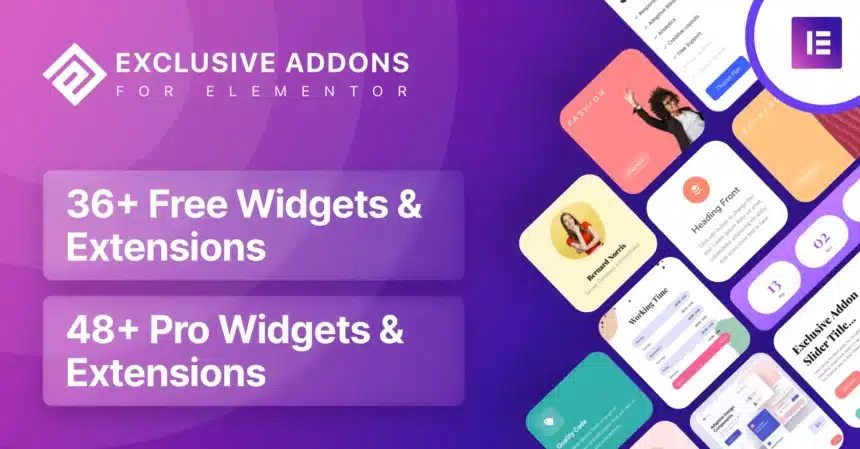
Exclusive Addons for Elementor Pro v1.5.9.4 GPL – Enhance Page Building – Unlock a world of advanced design possibilities with Exclusive Addons for Elementor Pro, the ultimate toolkit to extend Elementor’s capabilities and create stunning WordPress websites.
Contents
Exclusive Addons for Elementor Pro Features
- 100+ Unique Elementor Widgets: Gain access to an expansive library of over 100 meticulously crafted widgets designed to expand Elementor’s core functionalities. These widgets cover everything from advanced content displays to interactive elements, ensuring you have the perfect tool for any design challenge.
- Pixel-Perfect Design Control: Achieve unparalleled precision in your website designs with intuitive styling options and granular control over every element. Exclusive Addons empowers you to customize typography, colors, spacing, and responsiveness with ease, bringing your creative vision to life.
- Lightweight and Optimized Performance: Built with performance in mind, Exclusive Addons is engineered to be lightweight and fast-loading. This ensures that adding powerful features to your Elementor pages doesn’t compromise your website’s speed or user experience, which is crucial for SEO and visitor retention.
- Fully Responsive Across Devices: Create beautiful and functional websites that adapt seamlessly to any screen size, from desktops to tablets and mobile phones. Each widget and element within Exclusive Addons is inherently responsive, allowing you to design once and be confident of its appearance everywhere.
- Advanced Animations and Effects: Elevate your website’s interactivity with a rich selection of animation and hover effects. From subtle transitions to dynamic entrance animations, these features help capture visitor attention and create a more engaging user experience without needing custom code.
- Integrated with Elementor Theme Builder: Seamlessly integrate Exclusive Addons widgets into your Elementor Theme Builder designs. This allows you to create custom headers, footers, single post templates, and archive pages with the advanced functionality provided by the addon pack.
- Dynamic Content Support: Leverage Elementor’s dynamic content capabilities with Exclusive Addons. Connect your widgets to custom fields, post meta, and other dynamic data sources to create highly personalized and automated content displays across your site.
- Cross-Browser Compatibility: Rest assured that your website will look and function perfectly across all major web browsers, including Chrome, Firefox, Safari, and Edge. Exclusive Addons is rigorously tested to ensure consistent performance and display.
- One-Click Demo Import: Jumpstart your design process with pre-built templates and blocks. Exclusive Addons often provides ready-to-use demos that you can import with a single click, allowing you to quickly set up sections or entire pages and then customize them to your needs.
- AJAX-Powered Live Search: Implement highly efficient and user-friendly search functionalities on your WordPress site. The AJAX live search widget provides instant search results as users type, significantly improving the user experience and helping visitors find content faster.
- Advanced Toggle and Tab Widgets: Organize complex content effectively with sophisticated toggle and tab widgets. These allow you to present information in a clean, collapsible, or tabbed format, saving space and improving content readability, especially for FAQs or detailed product descriptions.
- Interactive Image Hotspots: Create engaging image hotspots that highlight specific areas of an image with descriptive tooltips or links. This feature is perfect for product showcases, interactive maps, or educational content where you want to draw attention to details.
- Customizable Progress Bars and Counters: Visually represent data, skills, or achievements with stylish progress bars and animated counters. These elements are excellent for portfolios, “about us” pages, or presenting statistics in an attractive and dynamic way.
- Off-Canvas and Popup Builder: Design stunning off-canvas menus, sidebar panels, or popups directly within Elementor. This comprehensive tool allows you to create engaging call-to-actions, subscription forms, or navigation elements that appear on user interaction.
- Social Sharing and Feed Widgets: Easily integrate social media into your website with dedicated widgets for sharing content and displaying social feeds. This helps increase your online presence and encourages visitors to engage with your brand on various platforms.
- WooCommerce Integration Widgets: If you run an online store, Exclusive Addons offers specialized widgets to enhance your WooCommerce product pages, product grids, and shop layouts. Create custom product carousels, add-to-cart buttons, and filter options with advanced styling.
- Post Grid and Carousel Builder: Showcase your blog posts, custom post types, or portfolio items in dynamic grids, carousels, or masonry layouts. With extensive query and styling options, you can create visually appealing content displays that encourage exploration.
- Form Styler for Popular Plugins: Seamlessly style forms created with popular contact form plugins like Contact Form 7, WPForms, and others. Exclusive Addons provides dedicated styling options to ensure your forms match your website’s design aesthetic perfectly.
- Sticky Elements and Section Options: Make any Elementor section or widget sticky on scroll. This is ideal for calls-to-action, navigation menus, or important information that you want to keep visible to users as they browse down the page.
- Parallax and Background Effects: Add depth and visual interest to your sections with advanced parallax scrolling and various background effects. These features help create a more immersive and modern user experience.
- Countdown Timer Widget: Build urgency and anticipation for upcoming events, product launches, or special offers with a fully customizable countdown timer. This is highly effective for marketing campaigns and promoting time-sensitive content.
- Comparison Table Builder: Create clear and concise comparison tables to highlight the differences between products, services, or features. This widget is invaluable for e-commerce sites or service-based businesses to help customers make informed decisions.
- Advanced Image Gallery Options: Beyond Elementor’s basic gallery, Exclusive Addons provides enhanced gallery widgets with lightbox options, filtering capabilities, and diverse layout choices to showcase your images beautifully.
Download Exclusive Elementor Pro Addons GPL
VirusTotal
to ensure it’s safe.
How to Install WordPress Plugins or Themes
- Download the plugin or theme .zip file from a trusted source.
- Log in to your WordPress dashboard.
- For Plugins: Go to Plugins → Add New → Upload Plugin, then upload the .zip file.
- For Themes: Go to Appearance → Themes → Add New → Upload Theme, then upload the .zip file.
- Click Install and then Activate once the upload completes.
- Configure settings as needed and start using your plugin or theme.
⚠️ Important: Always scan any downloaded files using
VirusTotal or another security tool before installing.
is not affiliated with or endorsed by the original developers of this software.
All files are distributed under the GNU General Public License (GPLv2 or later). Always verify safety before installation.