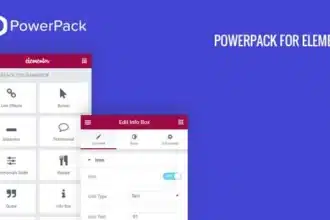
Premium Addons PRO v2.9.52 GPL – Boost Elementor with Advanced Widgets – Supercharge your Elementor page building experience with Premium Addons PRO, offering a vast collection of creative widgets and powerful functionalities to design stunning WordPress websites effortlessly.
Contents
Premium Addons PRO for Elementor Plugin Features
- 50+ Highly Customizable Elementor Widgets: Gain access to an extensive library of over 50 unique and meticulously crafted Elementor widgets, including advanced display, content, and creative elements. Each widget is designed with flexibility in mind, offering numerous styling and functional options to match any design vision.
- 200+ Professional Pre-built Templates & Sections: Accelerate your design workflow with a massive collection of professionally designed templates and sections. These ready-to-use assets span various niches and styles, allowing you to import and customize them in minutes, saving significant development time.
- Elementor Lottie Animations Integration: Seamlessly integrate dynamic Lottie animations directly into your Elementor designs. This feature enables you to add lightweight, high-quality animated graphics without compromising website performance, perfect for engaging hero sections, icons, or decorative elements.
- Advanced Display Conditions for Widgets & Sections: Take complete control over the visibility of your Elementor elements. With display conditions, you can show or hide any widget or section based on user roles, operating systems, browsers, device types, screen sizes, dates, and even custom field values, personalizing the user experience.
- Cross-Domain Copy & Paste Functionality: Effortlessly transfer content between different WordPress sites that use Elementor. This incredible time-saving feature allows you to copy any Elementor section, widget, or even an entire page from one domain and paste it directly onto another, streamlining your multi-site development process.
- Global Elementor Widgets (Template & Style Sync): Create and manage global widgets that sync across your entire website. Modify a global widget once, and all instances throughout your site will update automatically, ensuring design consistency and significantly reducing maintenance efforts.
- Magic Scroll Feature for Interactive Animations: Introduce captivating scroll-triggered animations to your Elementor sections. The Magic Scroll feature enables you to animate elements as users scroll down the page, creating immersive and interactive visual experiences that capture attention.
- Duplicator for Posts, Pages & Custom Post Types: Efficiently duplicate any post, page, or custom post type with a single click. This feature is invaluable for speeding up content creation and maintaining consistent layouts across similar content entries.
- Custom Breakpoints for Responsive Design: Go beyond Elementor’s default responsive settings. Premium Addons PRO allows you to define custom breakpoints, giving you granular control over how your designs adapt to specific screen sizes and ensuring pixel-perfect responsiveness across all devices.
- Mega Menu Builder with Elementor: Design stunning and highly functional mega menus directly within the Elementor editor. This feature empowers you to create complex multi-column menus with rich content, images, and custom widgets, enhancing navigation and user engagement.
- Parallax Backgrounds for Sections & Columns: Add dynamic parallax scrolling effects to your section and column backgrounds. This popular visual effect creates a sense of depth and movement, making your website more engaging and modern.
- Image Hotspot Widget for Interactive Content: Create interactive image hotspots with tooltips or popups to highlight specific areas on your images. Ideal for product showcases, infographics, or interactive maps, this widget enhances user interaction and information delivery.
- Lottie Backgrounds for Dynamic Section Designs: Utilize Lottie animations as dynamic backgrounds for your Elementor sections. This offers a modern and engaging alternative to static images or videos, adding subtle motion and visual interest without performance overhead.
- WooCommerce Widgets for Enhanced Storefronts: Elevate your WooCommerce store design with dedicated widgets. Display products in attractive grids, carousels, and lists, customize product pages, and enhance the overall shopping experience directly within Elementor.
- Content Switcher Widget for Tabs & Toggles: Create versatile content switchers, tabs, and toggle elements to organize and present information efficiently. This widget is perfect for FAQs, product features, or any scenario where you need to display multiple content blocks in a compact and user-friendly manner.
- Reviews Carousel & Grid Widget: Showcase customer testimonials and reviews in engaging carousels or stylish grids. Build trust and credibility by prominently featuring positive feedback from your users.
- Facebook Messenger & WhatsApp Chat Widgets: Integrate direct chat functionality for Facebook Messenger and WhatsApp onto your website. Provide instant customer support and enhance communication directly through popular messaging platforms.
- Source Code Widget for Custom HTML/CSS/JS: Embed custom HTML, CSS, or JavaScript code directly into your Elementor pages. This widget provides developers with complete flexibility to add custom functionalities and integrations.
- Particle Effects for Backgrounds: Add captivating particle effects, such as falling snow, bubbles, or abstract shapes, to your section backgrounds. These subtle animations can significantly enhance the visual appeal and modern feel of your website.
- Lightbox & Modal Popups: Create stunning and highly customizable lightboxes and modal popups for various purposes, including promotional offers, email sign-ups, or displaying additional content, all managed within Elementor.
- Offline Mode Support: Ensure your Elementor designs and websites continue to function and load even when users are offline. This feature enhances user experience and reliability, especially for content-heavy sites.
- Fully Responsive & Cross-Browser Compatible: All widgets and features are meticulously designed to be fully responsive across all devices and thoroughly tested for compatibility with major web browsers, guaranteeing a consistent user experience.
- Optimized for Performance: Premium Addons PRO is built with performance in mind, ensuring that adding advanced functionalities and designs does not slow down your website. Clean code and efficient asset loading contribute to fast page speeds.
- RTL (Right-to-Left) Language Support: Seamlessly supports RTL languages, ensuring that your website designs and content display correctly for audiences using languages like Arabic or Hebrew.
- Lifetime Updates & Premium Support: Benefit from continuous updates that introduce new features, improvements, and compatibility fixes. Access to dedicated premium support ensures you receive assistance when you need it.
Download Premium Addons PRO for Elementor GPL
VirusTotal
to ensure it’s safe.
How to Install WordPress Plugins or Themes
- Download the plugin or theme .zip file from a trusted source.
- Log in to your WordPress dashboard.
- For Plugins: Go to Plugins → Add New → Upload Plugin, then upload the .zip file.
- For Themes: Go to Appearance → Themes → Add New → Upload Theme, then upload the .zip file.
- Click Install and then Activate once the upload completes.
- Configure settings as needed and start using your plugin or theme.
⚠️ Important: Always scan any downloaded files using
VirusTotal or another security tool before installing.
is not affiliated with or endorsed by the original developers of this software.
All files are distributed under the GNU General Public License (GPLv2 or later). Always verify safety before installation.