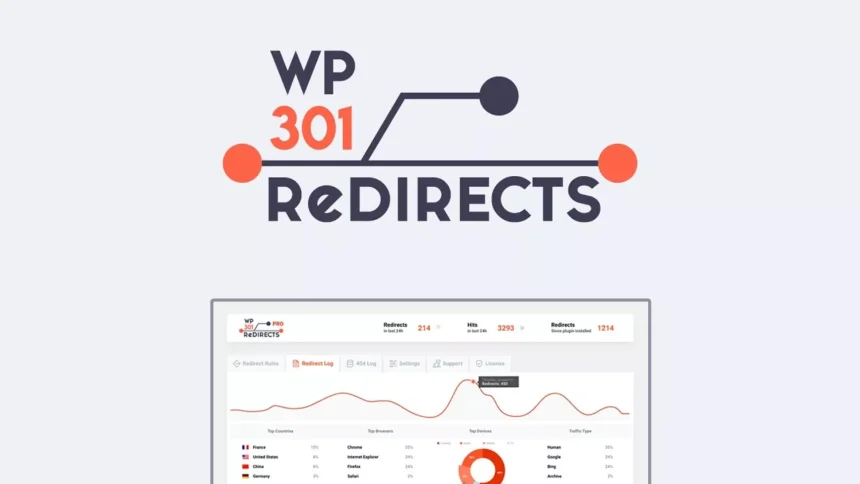
WP 301 Redirects Pro v6.25 GPL – Optimize SEO & Manage Redirects – WP 301 Redirects Pro is the ultimate WordPress plugin for easily managing 301, 302, and 307 redirects, fixing 404 errors, and improving your site’s SEO without needing to edit .htaccess files.
Contents
WP 301 Redirects Pro Plugin Features
- Intuitive Redirect Manager: Easily set up and manage all your 301, 302, and 307 redirects directly from your WordPress dashboard. This centralized control panel simplifies the process of guiding users and search engines from old URLs to new ones, crucial for maintaining link equity and user experience.
- Automated 404 Error Tracking: The plugin automatically monitors and logs all 404 “page not found” errors on your website. This invaluable feature helps you quickly identify broken links, understand what content users are searching for, and proactively fix issues before they negatively impact your SEO or user satisfaction.
- Smart Redirect Rules: Create intelligent redirect rules based on various conditions, including specific URLs, URL fragments, or even wildcard patterns. This flexibility allows you to manage large sets of redirects efficiently and ensures that visitors are always directed to the most relevant content.
- Wildcard Redirect Support: Implement powerful wildcard redirects to handle entire sections of your website with a single rule. This is particularly useful for site migrations, permalink structure changes, or when dealing with dynamic URLs, saving you significant time and effort compared to individual redirect creation.
- Import/Export Redirects: Easily import and export your redirect rules using CSV files. This feature is perfect for migrating redirects between websites, backing up your configurations, or collaborating with team members on SEO adjustments, ensuring seamless transitions and data integrity.
- Performance-Optimized Redirects: WP 301 Redirects Pro is built for speed, ensuring that your redirects are processed efficiently without slowing down your website. This focus on performance means a better user experience and no negative impact on your page load times, which is vital for SEO.
- Bypass .htaccess Editing: Say goodbye to complex .htaccess file editing. This plugin provides a user-friendly interface that eliminates the risk of syntax errors and makes redirect management accessible to users of all technical levels, greatly simplifying a often daunting task.
- Link Scanner & Broken Link Checker: Beyond just 404s, the plugin can help you identify broken internal and external links on your site. Proactively fixing these broken links is crucial for maintaining your SEO authority and providing a smooth browsing experience for your visitors.
- Referrer and User Agent Logging: Gain insights into where your visitors are coming from and what devices they are using when encountering a redirect or 404 error. This data can inform your SEO strategy and help you understand user behavior more deeply.
- Redirect Statistics & Analytics: Access detailed statistics on your redirects, including how many times each redirect has been hit and popular 404 errors. This analytics capability helps you refine your redirect strategy and understand its impact on your site’s traffic and user flow.
- Exclude Bots & Bad Traffic: Configure the plugin to ignore redirects or 404 tracking for specific user agents, allowing you to filter out bot traffic and focus on genuine user data. This ensures your data is clean and actionable for informed decision-making.
- SEO-Friendly Redirects: All redirects created with the plugin are fully SEO-compliant, passing on link equity (link juice) to the new destination. This is critical for maintaining your search engine rankings during site restructuring, content updates, or URL changes.
- No Code Required: Manage all aspects of your redirects and 404 errors without writing a single line of code. The intuitive graphical interface makes complex tasks simple and accessible for all WordPress users, from beginners to advanced developers.
- Drag & Drop Reordering: Easily reorder your redirect rules using a simple drag and drop interface. This allows for quick adjustments to redirect priority, ensuring that the most relevant rules are applied first when multiple rules could potentially match a URL.
- Quick Setup Wizard: Get started with WP 301 Redirects Pro in minutes thanks to its guided setup wizard. This streamlined onboarding process helps you configure essential settings and begin managing redirects without any hassle.
- Regular Updates & Compatibility: The plugin is regularly updated to ensure compatibility with the latest versions of WordPress, themes, and other popular plugins. This commitment to ongoing development ensures stability, security, and access to new features.
- Comprehensive Documentation: Access extensive documentation and tutorials that guide you through every feature and aspect of using WP 301 Redirects Pro. This resource empowers users to maximize the plugin’s potential and troubleshoot common issues independently.
- Developer-Friendly Hooks & Filters: For advanced users and developers, the plugin offers a rich set of hooks and filters. These allow for deeper customization and integration with other systems, extending the plugin’s functionality to meet specific project requirements.
- Gutenberg Block for Redirects: Easily add specific redirects directly from the Gutenberg editor for individual posts or pages. This contextual redirect management streamlines the workflow for content creators and ensures that redirects are set up as content is published.
- HTTP Headers Integration: Configure advanced HTTP header responses for redirects, giving you finer control over how search engines and browsers handle your redirected content. This can be crucial for specific SEO strategies or performance optimizations.
- Domain Mapping Support: Seamlessly manage redirects across multiple domains or subdomains, making it ideal for networks of sites or businesses with multiple online presences. This feature simplifies complex redirect scenarios for large-scale operations.
- Custom 404 Page Design: While not directly a redirect feature, the plugin often integrates with or provides options for customizing your 404 error pages. A well-designed 404 page can help retain visitors and guide them to relevant content, turning a negative experience into a positive one.
- Caching Compatibility: Designed to work flawlessly with popular caching plugins, ensuring that your redirects are served quickly and efficiently without conflicts. This means you can have both robust redirect management and blazing fast website performance.
- Multi-site Ready: Fully compatible with WordPress Multisite installations, allowing you to manage redirects across your entire network from a single dashboard. This is an essential feature for large organizations and agencies managing multiple client sites.
Download WP 301 Redirects Pro GPL
VirusTotal
to ensure it’s safe.
How to Install WordPress Plugins or Themes
- Download the plugin or theme .zip file from a trusted source.
- Log in to your WordPress dashboard.
- For Plugins: Go to Plugins → Add New → Upload Plugin, then upload the .zip file.
- For Themes: Go to Appearance → Themes → Add New → Upload Theme, then upload the .zip file.
- Click Install and then Activate once the upload completes.
- Configure settings as needed and start using your plugin or theme.
⚠️ Important: Always scan any downloaded files using
VirusTotal or another security tool before installing.
is not affiliated with or endorsed by the original developers of this software.
All files are distributed under the GNU General Public License (GPLv2 or later). Always verify safety before installation.